Sunday, December 1, 2013

WEEK 14: Motion Studies DESN1136 Assignment 9: Blending: Due next week!


We're going to 'blend' our cycles together using the simplest tools in Maya. Blending between different actions may involve adding extra details between cycles. For example, a walk to a run requires a tricky middle action where the character gathers energy to move more quickly.
Assignment 9: Blending the Cycles
Playblast and Maya file
% of final grade: 10% 
Assigned: Tuesday, Dec 3rd, 2013
Due: WEEK 15, Dec 10th at the end of class
*Late assignments are worth 0


Quicktimes only, 560 pixels by 316 pixels, H.264 codec, max 10MB.
Blend together your cycles - idle to walk, walk to run, run to jump.
If you like you can try blending back to the run.

Please REFERENCE your rig into your shot (do not open the rig and start animating or import him.)

Filenames:
1136_a9_donovant_blend_001.ma
1136_a9_donovant_blend_001.mov


The timing (both frames per step and timing of secondary actions such as arm swings and head drag) should support the attitude and personality. The character should have a believable weight. The motion should be fluid and smooth without obvious pops or bumps. Body parts should be offset from one another a bit so every part of the action doesn't occur on the same frame.


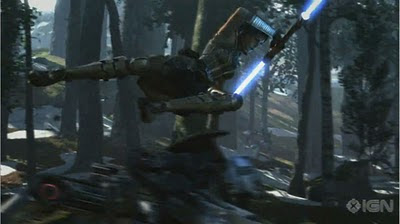
We're also going to continue with our topic of the most subtle of the animation principles -- overlapping action, which is paramount to creating weight. We'll take lots of cues from the Pixar of Game Animation, Blur Studio in California.

Wednesday, November 27, 2013

WEEK 13: Asset Development 1 DESN1083: Assignment 4 due in 2 weeks

Last week a few of you mentioned you may not really know much about lighting. Fortunately, a little on info real-world lighting techniques can take you quite far. There are great tutorials out there but one of the best ones I've seen is from Marmoset Toolbag. Marmoset is a set of tools to create amazing lighting effects very quickly and easily. I don't suggest you skip learning lighting in 3dsMax but I do recommend you check out Marmoset's stunning results and their very thorough tutorials.

Their Character Lighting Tutorial contains a lot of the basic terminology and concepts you will need to light your gun or anything, really. Key, Fill, and Rim lights are standard terms you should know as well as some ideas about how to place them properly. There is also a list of links to inspiring photography portfolios that show what a difference great lighting makes. http://www.marmoset.co/toolbag/learn/character-lighting


I would seriously recommend you steer clear of Photometric lights in 3dsMax and stick with the Standard lights. 

There's another awesome site you should know about: James Gurney's blog "Gurney Jouney" and his book, "Color and Light" will teach you everything you need to know about colour, light and shadow.
http://gurneyjourney.blogspot.ca/2010/02/light-and-form-part-1_15.html

If you need help setting up your lighting or your animation just let me know!

WEEK 13: Game Project Development DESN 3010: Milestone 4 final animation due today!

Milestone 4 is due today!

Please also let me know what your plans are for your final assignment. You only have 2 weeks for this one so I want to make sure everyone's on the right track.

Milestone 5:  ex 5-10 second piece of animation.
Value: Total 20%. See breakdown below.
* Late submissions will receive ZERO marks.
The following are due in class:
5% WEEK 14: planning & rough posing
15% WEEK 15 final animation


FILE NAMING:
3010_ m5_lastnamefirstinitial_001
ex:
3010_m5_donovant_001.mov
3010_m5_donovant_001.jpg

Images: JPGS only, 72 dpi, 1200px along longest edge,
Videos: Quicktimes only, 560 pixels by 316 pixels, H.264 codec, max 10MB

Playbasts only, please. Do not render these assignments. You do not have time.

Your final animation should have a different number than the rough posing but otherwise please follow the identical naming convention.

----------------------------------------------------------------------------------------------

Re: Planning animation - 
A few of you still seem a bit unclear about what is meant by rough animation. Here's a podcast you can listen to from one of the all-time greats - another animator to get to know: James Baxter. Does his name sound familiar? Then you must be a fan of Adventure Time where he helped create a horse character who neighs his own name! Hilarious as it is, don't get too sidetracked by this recent silly turn because James Baxter is a well-known animation heavyweight with some of the biggest blockbuster feature credits you can imagine - Beauty and the Beast and the Lion King to name just 2. 

Here he is speaking about animation planning. If you're super keen check out the episodes before and after it: http://animationpodcast.com/archives/2008/03/02/james-baxter-part-two/
James Baxter's masterful drawings of Rafiki's hands from the Lion King

Monday, November 25, 2013

WEEK 13: Motion Studies DESN1136 Assignment 8: Jump Cycles: Due next week!

Next cycle -- Jumps!
EVH can do it, so can you
We'll take a look at some different styles of jumping, leaping, hopping, bounding characters and study live action for inspiration. Jumping characters exhibit lost of secondary and overlapping action, and anticipation.

Showing the effort characters take to move their own weight is paramount to creating believable animation of any style.

It's one thing to make the up and down motion read as 'heavy' and affected by gravity. It's quite another to master the mechanics of looping overlapping/secondary action with the character's arms, legs and other details such as tails or capes.

If ever the devil were in any details.. it's animating secondary on a looping action!

Your jump cycles should be usable for avoiding ground pitfalls or traveling forward.
The mechanics of the body in the jump should work well before tackling the secondary action

Remember you will be blending this cycle from and back to the run so you might want to export the start pose from a run position to help it transition smoothly.

Assignment 8: Jump Cycle
Playblast and Maya file
% of final grade: 10% 
Assigned: Tuesday, Nov 26, 2013
Due: WEEK 14, Dec 3rd at the end of class
*Late assignments are worth 0


Quicktimes only, 560 pixels by 316 pixels, H.264 codec, max 10MB.
Animate your character jumping on the spot in a treadmill cycle. It should be a loop about 1-2 seconds long. Animation should show all 12 principles of animation, especially strong posing, weight, and overlapping action. The character should have believable weight, a clear personality, and move with fluidity and clarity.

Please REFERENCE your rig into your shot (do not open the rig and start animating or import him.)

Filenames:
1136_a8_donovant_jump_001.ma
1136_a8_donovant_jump_001.mov

The jump should clearly show the personality and attitude of the character. The timing (both frames per step and timing of secondary actions such as arm swings and head drag) should support the attitude and personality. The character should have a believable weight. Steps should be symmetrical (apparently if not mathematically) and the motion should be fluid and smooth without obvious pops or bumps. Body parts should be offset from one another a bit so every part of the action doesn't occur on the same frame.


Monday, November 18, 2013

WEEK 12: Asset Development 1 DESN1083: Assignment 3 Due today

Assignment 4 -
NEW BERETTA 3D Model: 15 Marks
DUE DATE: WEEK 15 December 12th
@ BEGINNING OF CLASS on Blackboard
* Late submissions will receive ZERO marks.
Assignment 4 is to set up the model on a turntable for presentation.
Animate the gun in a 360 degree rotation and apply a lighting solution (ie, 3 point light set-up)
Once the model is lit and animated, render out as an AVI or an MOV.

Recommended settings:
Quicktime (MOV)

Compression H.264
1280 x 720
3 x 360 degree rotations - about 8 seconds
check your frame rate matches your output (24fps or 30 fps)

FILENAME:
ASSIGN4_NEWBERETTA_MODEL_YOURNAME.AVI (or MOV)
ASSIGN4_NEWBERETTA_MODEL_YOURNAME.MAX

ex -
ASSIGN4_NEWBERETTA_MODEL_TARADONOVAN.MOV
ASSIGN4_NEWBERETTA_MODEL_TARADONOVAN.MAX

Here are some examples of turntables: 
Blaster Gun Game Model Turntable
Gun - Peacemaker 3D Turntable
Weapon Model Turntable


I added another Digital Tutors course for you in Modeling Basics called  Introduction to Camera Animation in 3ds Max. There is a specific unit called Creating Turntable Animation that you might find especially useful.


WEEK 12: Game Project Development DESN 3010: Milestone 4 posing due today!

Looking forward to seeing your rough posing today!
Due next week:
10% WEEK 13: final animation (polished, fluid, full animation)

This week is the 85th anniversary of one of the most pivotal milestones in animation history: Walt Disney's 1st Mickey Mouse cartoon and one of the earliest cartoons with sound. 1928's "Steamboat Willie" helped make Walt Disney a household name and boosted the career of pioneering animator Ub Iwerks.

What's remarkable to note is that this cartoon predates "Snow White and the Seven Dwarves" by just 9 years! A lot can happen in a decade.

WEEK 12: Motion Studies DESN1136 Assignment 7: Run Cycles: Due next week!

This week: run cycles.

There are so many kinds of running -- sprinting and long-distance running, jogging, barefoot running, and all sorts of speeds (spm) and styles, including cartoony. We'll look at some video analysis of running and talk about the major keys.

We'll start dealing with blending cycles together so you can practice in preparation for the last assignment. Think about how you'd go from walking to running. Slap on those runners, hit some pavement or a treadmill and feel the difference between the two gaits. Make sure it's obvious in your animation that you understand a new action requires an anticipation.  Does your COG drop a bit lower before it springs higher? Do you need to lean forward? Do you take one big walking step before your first running step? Exaggerating things like this to make the audience appreciate your analysis.

Read up on runs:
Richard Williams' "Animator's Survival Kit" pgs 176 - 200

Please do NOT use bad reference from the Internet such as Preston Blair or AngryAnimator or Anime. Only source information from battle-tested, quality animators with high-end experience. 90% of the information online on animation is not usable at this level.

Digital Tutors has a great tutorial on runs but I will caution you it veers into territory you do not want to focus on for this cycle such as character sets, scripting for mirroring poses, and editing rotation order. You can learn these if you want but I want you to focus on just animating great poses with great timing using great reference.
http://www.digitaltutors.com/lesson/25052-Introduction-and-project-overview

Assignment 7: Run Cycle
Playblast and Maya file
% of final grade: 10% 
Assigned: Tuesday, Nov 19, 2013
Due: WEEK 13, Nov 26th at the end of class
*Late assignments are worth 0


Quicktimes only, 560 pixels by 316 pixels, H.264 codec, max 10MB.
Animate your character running on the spot in a treadmill cycle. It should be a loop about 1-2 seconds long. Animation should show all 12 principles of animation, especially strong posing, weight, and overlapping action. The character should have believable weight, a clear personality, and move with fluidity and clarity. 

Please REFERENCE your rig into your shot (do not open the rig and start animating or import him.)

Filenames:
1136_a7_donovant_run_001.ma
1136_a7_donovant_run_001.mov


The run should clearly show the personality and attitude of the character. The timing (both frames per step and timing of secondary actions such as arm swings and head drag) should support the attitude and personality. The character should have a believable weight. Steps should be symmetrical (apparently if not mathematically) and the motion should be fluid and smooth without obvious pops or bumps. Body parts should be offset from one another a bit so every part of the action doesn't occur on the same frame.


Wednesday, November 13, 2013

WEEK 11: Asset Development 1 DESN1083: Assignment 3 Due next week! (November 21st)

Hey, there - you guys seem to be doing great with your gun models. Many of you are learning as you go so it could be wise to take a step back from time to time and assess the basic silhouette of your weapon - is it as good as it could be? The instant read of your model is the most important thing - the first thing observers see is the shape. So don't get too deep into the details until the basic contours are working.

Here's a great article from 3DArtist magazine all about topology -

http://www.vertheim.com/uploads/1/0/1/1/10114322/topology.pdf


Don't be afraid to ask for help. Peer tutors are available now. Share your knowledge if you have extra to share :o)  and remember, helpful people deserve your thanks and maybe a small gesture like a cookie or a coffee. But usually what goes around comes around -- for every helpful gesture another usually comes back to you in ways you might not expect.

Looking forward to seeing your models next week!


WEEK 11: Game Project Development DESN 3010: Milestone 4 planning due today!

Today I'll have a look at your submissions for planning the 4th assignment which may include storyboards, thumbnails, video reference, blocking, or other planning methods of your choice.

Due next week: 
5% WEEK 12: rough posing (all key poses including facial expressions and hands)

This means your animation must be finished in rough form by next class. :D

Please triple check your hand-in parameters to make sure they conform to all requirements for size, aspect, file type, naming, etc. Help each other avoid common mistakes! 

From the info I gathered in last week's quiz it looks like you might want to start stuffing your head with more animation history and start to recognize the work of some influential animators of your time. This is one of the best sites on the internet to brush up your animation knowledge. There's a heap of documentaries so you can get to know some of the true pioneers of your industry.
http://livlily.blogspot.ca/


Monday, November 11, 2013

WEEK 11: Motion Studies DESN1136 Assignment 6: Treadmill Walk Cycles: Due next week!

Now that you've worked out the bugs of handling a new rig and using all the cycling and timing tools in Maya it's time for a whole new level of picky: walk cycles.

There are 2 ways to animate a walk cycle  - straight-ahead, which is often called "walking off the coin" meaning you leave the main controller or god node behind as the character walks forward as you would in real life. In order to turn this into a cycle, the coin slides back in perfect sync with each step so that the character does not move forward on the screen. The other way is to 'treadmill' it by having the coin remain in place and have the feet slide backwards, just like on a treadmill at the gym. The coin can be animated moving forward at the same speed as the feet slide backward to make the character travel forward. Different animators and studios have their preferred method so it is wise to know about them both. We will be working with treadmill walks for this class. 

One common pitfall to avoid is creating a 'vanilla walk' with the intent of altering it later. Please don't fall into this trap. Animators animate characters walking, not generic walk cycles. I will be teaching you a pose-to-pose method of animating walk cycles that should start with an apparent personality from the very start. There are some tutorials online that use a 'layered' approach to creating walks starting with feet sliding back and forth like on a Nordic track ski machine and then adding each detail one at a time. Ok, no. Just no to that. Please do not let me see you doing that. It was the method I was taught too but it is not industry standard and it focuses entirely on mechanics and not on personality, which is the way an animator should be thinking and working.

When animating complex motions like walks it's a very good idea to study live action reference, or even create your own.

Walk Reference:
Treadmill Walk: Dude
"Endless Reference"'s You Tube channel (also see sidebar link -->)
Monster's Inc
Iron Giant

Digital Tutors has a comprehensive tutorial on walk cycles using this this method.
http://www.digitaltutors.com/tutorial/354-Creating-Walk-Cycles-in-Maya

Getting good at cycles requires patience and practice. You should try a few different ones so you get faster at setting them up. It's always better to work from reference. Shooting your own reference can be invaluable so you understand the mechanics.

If we get all the way through the walk cycle instruction I can show you how to import and export animation into other files so you can work on combining them. Until you understand how to combine animation, work on your walks in a completely brand-new file.

DESN1136 Assignment 6: Walk Cycle
Playblast and Maya file
% of final grade: 10% 
Assigned: Tuesday, Nov 12, 2013
Due: WEEK 12, Nov 19th at the end of class
*Late assignments are worth 0


Quicktimes only, 560 pixels by 316 pixels, H.264 codec, max 10MB.
Animate your character walking on the spot in a treadmill cycle. It should be a loop about 1-2 seconds long. Animation should show all 12 principles of animation, especially strong posing, weight, and overlapping action. The character should have believable weight, a clear personality, and move with fluidity and clarity.

Please REFERENCE your rig into your shot (do not open the rig and start animating or import him.)

Filenames:
1136_a6_donovant_walk_001.ma
1136_a6_donovant_walk_001.mov